A "browser game" in 2026 should be exactly what the words say — a game that runs in a browser. No installer, no sign-up, no launcher, no platform tax. Most of the web has drifted in the opposite direction: every site wants an account, an app, a desktop client, or a notification permission. Glaze Games is built on the opposite premise. The catalog focuses on HTML5 games that load through a sandboxed player without an installer.
This post is the long-form explainer of why that matters technically, what "no download" actually rules out, and a tour of the deepest no-install genres on the site so you can find your next favorite without ever leaving the browser.
#What "no download" actually rules out
Most "free games" sites have at least one of these friction points. We have zero of them.
- No .exe / .apk / .dmg. Every game on Glaze Games runs inside an iframe sandbox. Nothing ever writes to your local filesystem outside of the browser's own sandboxed storage (localStorage, IndexedDB, which the browser cleans up automatically).
- No browser extensions. Some "free games" sites push a Chrome extension as part of the play flow. We have none. The site works identically on Chrome, Safari, Firefox, Edge, and Brave without any extension installed.
- No mobile app. There is no Glaze Games app in the App Store or Google Play, by design. The mobile web experience on iOS Safari and Android Chrome is the canonical way to play.
- No launcher. No "Glaze Games Premium Edition" desktop client. The browser tab is the launcher.
- No platform account. No Steam, no Epic, no Origin, no PSN. Just the browser.
#Why HTML5 made all of this possible
A decade ago, browser games meant Flash. Flash was an installed runtime, not part of the browser — players had to update the plugin, accept security prompts, deal with crashes. When Adobe killed Flash at the end of 2020, the entire browser-game industry rebuilt itself on HTML5. The transition was painful but the result is what we have now: native browser support for hardware-accelerated 2D and 3D graphics (Canvas + WebGL + WebGPU), audio (Web Audio API), input (gamepad API, pointer events), and storage (IndexedDB).
In 2026, a high-end HTML5 game like the ones on the racing or FPS shelves runs at a stable 60 FPS on a five-year-old laptop with no install, no driver update, no anything. The browser handles all of it.
#The deepest no-install genres on Glaze Games
Some categories are deeper than others. If you want to disappear into a long shelf for a weekend, start here.
#Multiplayer .io arenas
The .io shelf is the genre that proved HTML5 could compete with native gaming. Real-time multiplayer in a browser, no install, no account — just refresh and you are in a fresh match. Slither.io clones, Agar.io descendants, modern battle royales, all in this bucket. See also the multiplayer shelf for the broader category.
#Racing and driving
WebGL means 3D racing actually feels like racing now. The racing category is a deep bench of 70+ titles ranging from F1-style sims to absurd parkour-on-wheels arcade games. The driving shelf is the broader "anything with a steering wheel" category.
#First-person shooters
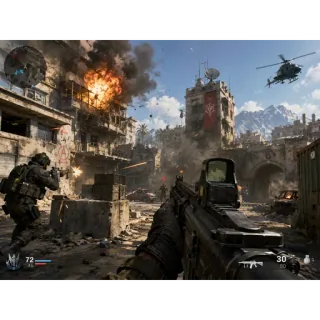
The FPS category used to be impossible in a browser — too much processing, too much network overhead. In 2026 a modern HTML5 FPS runs at native parity on most devices. The shelf includes tactical shooters, arena shooters, and a handful of full battle-royale modes.
#Puzzle and thinky
The puzzle shelf is by far the biggest single category on the site — 96 hand-picked titles. Match-3, jigsaw, logic, sudoku, hidden-object, the whole spread. The thinky shelf is the more brain-bending sub-genre.
#Classic and casual
The classic shelf is exactly what it sounds like — Snake, Tetris, Pong, Solitaire, Mahjong, chess. Every one of them is HTML5-native now, so you can play them on a phone without any of the old Flash-era jank.
#How the iframe sandbox protects you
Even though no game installs anything, we still wrap each game iframe in a strict browser sandbox so that even malicious content in a game build can't leave the iframe. The key element of that sandbox is what we DO NOT allow:
No
allow-top-navigation— the iframe cannot redirect your browser tab to any other site. Noallow-popups-to-escape-sandbox— popups that try to open are confined to the iframe. No geolocation, no camera, no microphone, no payment, no MIDI access.
For the full technical breakdown of what each <iframe sandbox> flag does and why we picked our specific permission set, see our editorial standards and how we handle ads inside games.
#What you give up with no-install
Total honesty: there are tradeoffs. HTML5 browser games are not pixel-for-pixel identical to native AAA games on a console. Three specific things you give up:
- Cross-device save state. Without an account, your progress is stored in the browser's localStorage. Clear your browser cookies and you wipe the save. The deep-progression games on the site work around this with optional account-based saves, but that requires opt-in sign-up — most players skip it.
- Graphical ceiling. A WebGPU game can look excellent, but it will not match the raw polygon count of a native game running on the same hardware. The browser's safety overhead costs about 5-10% of available GPU bandwidth.
- Anti-cheat in multiplayer. Without a native client, anti-cheat is harder. The best browser-game studios use server-authoritative logic to make cheating mostly ineffective, but no system is perfect.
For most players, in most genres, those tradeoffs are invisible. For competitive ranked FPS, they matter — and that is why most ranked esports still happens on native clients.
#The bottom line
In 2026, "browser game" is not a synonym for "low-quality game". HTML5 + WebGL + WebGPU have matured to the point where the browser is a legitimate gaming platform — and the no-install, no-account, no-app convenience is genuinely worth something. The full A-Z catalog has every title we host, sorted alphabetically. The popular shelf is the algorithmic top picks. Start with either.
Frequently asked questions
- Are browser games as good as installed games?
- For most genres in 2026, yes. The racing, FPS, strategy, and puzzle shelves include titles that look and play indistinguishably from their native counterparts. For high-end competitive games where every millisecond of latency matters (ranked esports FPS, professional fighting games), native clients still have an edge.
- Do browser games work on phones?
- Yes — most titles on Glaze Games are mobile-friendly. The catalog metadata tells our system which titles are portrait-native (designed for phones), which are landscape-only (better on tablet or desktop), and which are flexible. The home page automatically surfaces mobile-friendly games when you visit on a phone.
- How do browser games make money if there is no download?
- The original game studio embeds ads inside their HTML5 build — typically a pre-roll before play and an optional rewarded video during play. We do not add our own ads inside the game frame; we only run display banners around it. The full breakdown is in our how we handle ads post.
- Can I save my progress?
- Yes, via your browser's localStorage — which is per-device. If you want progress to follow you between devices, you can create a free account on the site. Account creation is fully optional; the games work without it.
- Why do some games take a few seconds to load?
- A WebGL or WebGPU game ships its code, textures, and audio as a few megabytes of WebAssembly. Modern engines stream that asynchronously, so the first frame paints quickly, but the full asset pack may take 3-15 seconds depending on game complexity and your network. Once cached, a return visit loads in under a second.