





About Bus & Subway Rush
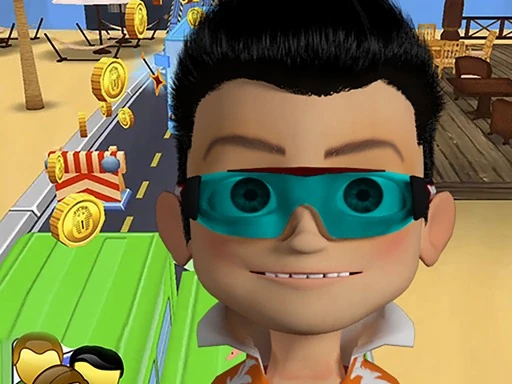
Bus & Subway Rush is an endless runner by BestCrazyGames. You run along a city street lined with shops, with painted lanes stretching ahead and obstacles coming toward you. The goal is simple: dodge what is in your path, switch lanes, collect coins and rewards, and see how far you get. A score counter, a coin counter and your best score sit at the top of the screen, so every run is measured against the last one.
The controls are the familiar swipe-based set for lane runners. Swipe left or right to change lanes, swipe up and down to get past obstacles, and double-tap for a hoverboard; on a keyboard the arrow keys or W, A, S and D do the same job. A short tutorial introduces each move before the run properly begins.
It is a portrait game, originally sized 350 by 600, which makes it a natural fit for phones. On a desktop screen Glaze Games shows it centered in the player at its own shape rather than stretching it. It plays in the browser with no download or account, although the game files themselves are large, so give the first load a little time.
Bus & Subway Rush is a arcade game created by BestCrazyGames. Open this browser edition on Glaze Games.
- Genre
- Arcade
- Technology
- HTML5 browser game
- Device support
- Check game controls
- Orientation
- portrait
- Glaze Games login
- Not needed to open player
- Publisher login
- Check game requirements
Tags and genres
How to play Bus & Subway Rush
Run down a busy city street, switch lanes around the traffic and keep the run going for as long as you can.
- 1Press Play and wait for the loading bar to fill. The game is a large download, so the first load can take a while on a slow connection.
- 2Follow the on-screen tutorial. It walks you through swiping right and left to change lanes, swiping up and down to get over or under obstacles, and double-tapping to use a hoverboard.
- 3On a keyboard, use the arrow keys or W, A, S and D for the same moves.
- 4Collect coins as you run. The counter at the top right shows your coins, your score and your best score so far.
- 5Use the pause button at the top left whenever you need a break.
Tips and strategy
- Change lanes early. A move made a moment before the obstacle arrives is much safer than one made at the last second.
- Finish the tutorial properly the first time; each prompt waits for the matching move before the run continues.
- Treat coins as a bonus. Crossing two lanes for a single coin is how most runs end.
- Keep the hoverboard for a crowded stretch of road instead of using it the moment it is offered.
- The game is built for a tall portrait screen, so on a phone it fills the display held upright, and on a computer it sits centered in the player.
Frequently asked questions
Is Bus & Subway Rush free to play?
Yes. It is free to play on Glaze Games in your browser, with no download or account needed.
What are the controls in Bus & Subway Rush?
Use the arrow keys or W, A, S and D on a keyboard. On a touchscreen, swipe left, right, up or down, and double-tap to use a hoverboard.
Who made Bus & Subway Rush?
It was made by BestCrazyGames and is distributed through GameMonetize.
Why does Bus & Subway Rush take a while to load?
The game downloads a large set of files before the first run. After the loading bar fills, the tutorial starts and the game runs normally.
Player reviews for Bus & Subway Rush
Be the first to review Bus & Subway Rush.


